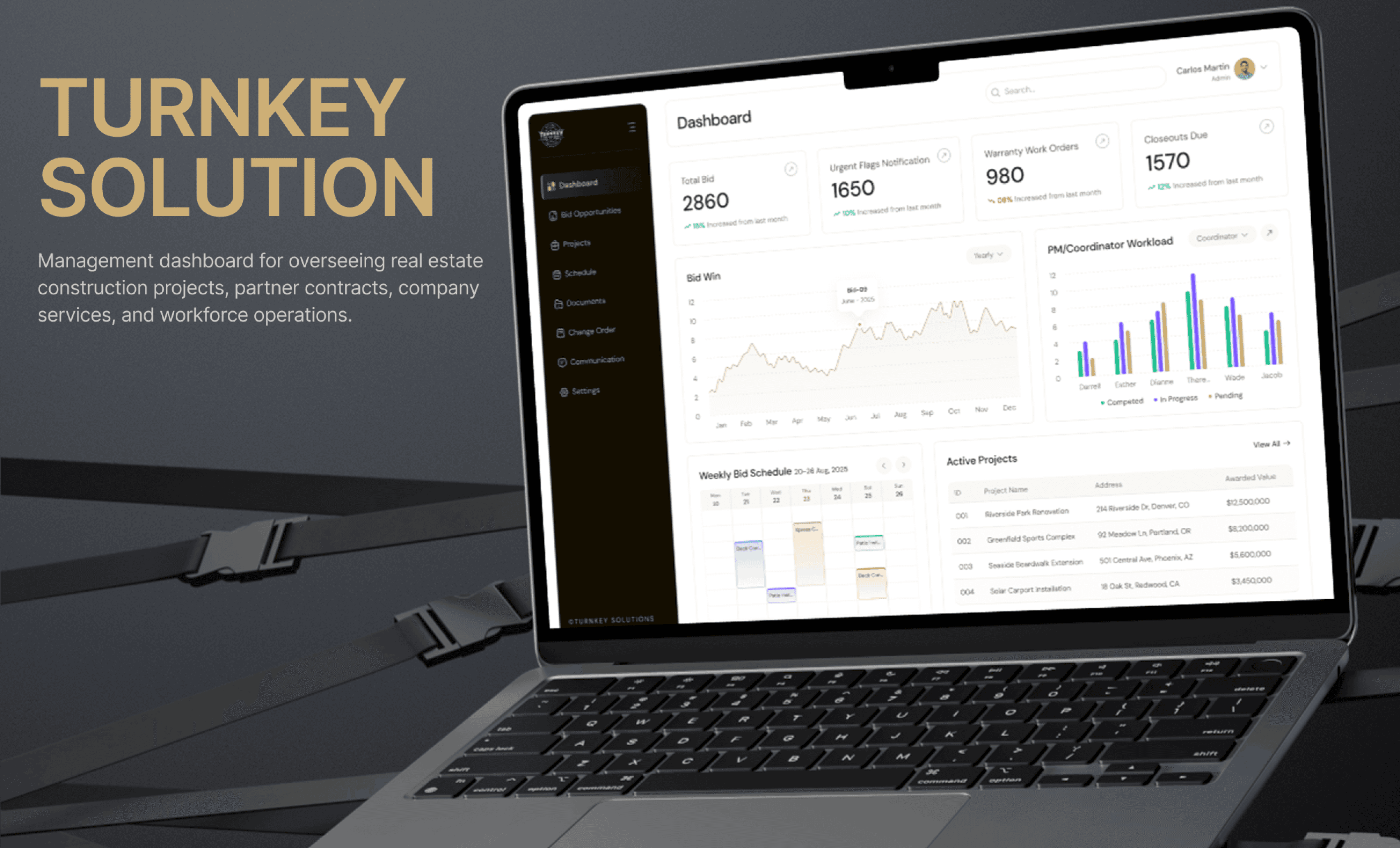
Turn Key Solution

An end-to-end construction management platform that unifies bidding, contracts, scheduling, field operations, billing, and closeout — replacing a stack of disconnected tools with one connected source of truth, from bid to handover.

Overview

One platform for the entire project lifecycle

Turn Key Solution is a web-based ERP built for general contractors. It carries a single project from a bid invitation all the way to closeout, automatically generating projects, schedules, budgets, and field plans from an awarded estimate, while keeping the office, the field, subcontractors, and the client working from the same live data.

Role

Product Designer

Year

2025

Type

Enterprise ERP / SaaS

Platform

Web Application

The Challenge

Construction work lived in disconnected tools

Fragmented systems

Estimating in spreadsheets, bid invites in email, scheduling, plans, and billing each in separate apps.

Duplicate data entry

The same project, scope, and cost data re-keyed at every stage — bid, contract, schedule, invoice.

Version confusion

Field crews referencing outdated drawings; missed approvals and revisions across teams.

No single source of truth

No connected view of status, budget, and compliance from pre-construction to closeout.

The Goal

Make an approved bid flow automatically into the project, schedule, budget, and field plan.

Design one connected platform with role-based access for office staff, superintendents, subcontractors, and clients — so every action updates the right people at the right time, and nothing falls through the cracks between phases.

Workflow

How design fit into the delivery workflow

Each module moved through a structured, confirmation-driven pipeline. As the UI/UX Designer, I picked up modules only after requirements were locked with the BA and client — then designed, reviewed, iterated, and handed dev-ready work to engineering.

Discovery

1

PM meets the client and hands the BA a project brief

Role: PM

Definition

2

BA builds functions, user stories, and flows.

Role: BA

Internal align

3

Confirm scope & requirements back with the BA.

Role: BA

Client sign-off

4

BA confirms the requirements with the client

Role: BA

UI/UX Design

5

Design each confirmed module, screen by screen.

Role: UI/UX

Client review

6

Walk the client through designs and gather feedback.

Role: UI/UX

Iterate / Handover

7

Update on change requests, or hand the confirmed module to Dev.

Role: Dev

Research & Insight

What we learned, module by module

Insights were synthesized from the PM's documented requirements, workflow mapping of how a single project travels from bid to closeout, a review of the disconnected tools teams juggle today, and feedback from client review sessions. Each insight below ties a real pain point to the module that resolves it.

Insight 01

One broken handoff by hours of rework

The same project, scope and cost data was re-keyed at every stage — bid, contract, schedule, invoice. Automating the flow between modules was the single highest-leverage opportunity.

Insight 02

The office and the field live in different worlds

Office tools assume a desk and a stable connection. The field needs glanceable, offline-capable views that sync the moment signal returns — or work simply doesn't get logged.

Insight 03

Compliance can't be bolted on at the end

Insurance, lien waivers and approvals were chased reactively. Building gates and checklists into the flow keeps work — and payments — from slipping through the cracks.

Bid Management & Estimating

What we heard

Opportunities arrive by email and plan rooms, then get re-keyed, estimators lose track of deadlines.

Insight

Estimators need one pipeline view and automatic capture of incoming bid data.

Design response

Unified bid dashboard with auto-parsed ITB details and status that updates on submit/award.

Project & Contract Admin

What we heard

Awarded bids are manually rebuilt into projects, compliance docs tracked in spreadsheets.

Insight

The award → project handoff is the biggest source of rework and missed compliance.

Design response

Auto-generate projects from bids, a job-award checklist gates the move to "Active".

Scheduling & Tasks

What we heard

Schedules live apart from the field; delays don't cascade and crews get double-booked.

Insight

A schedule change must ripple to dependencies and reach crews instantly.

Design response

Gantt with critical-path auto-shift, crew-conflict alerts, and mobile sync.

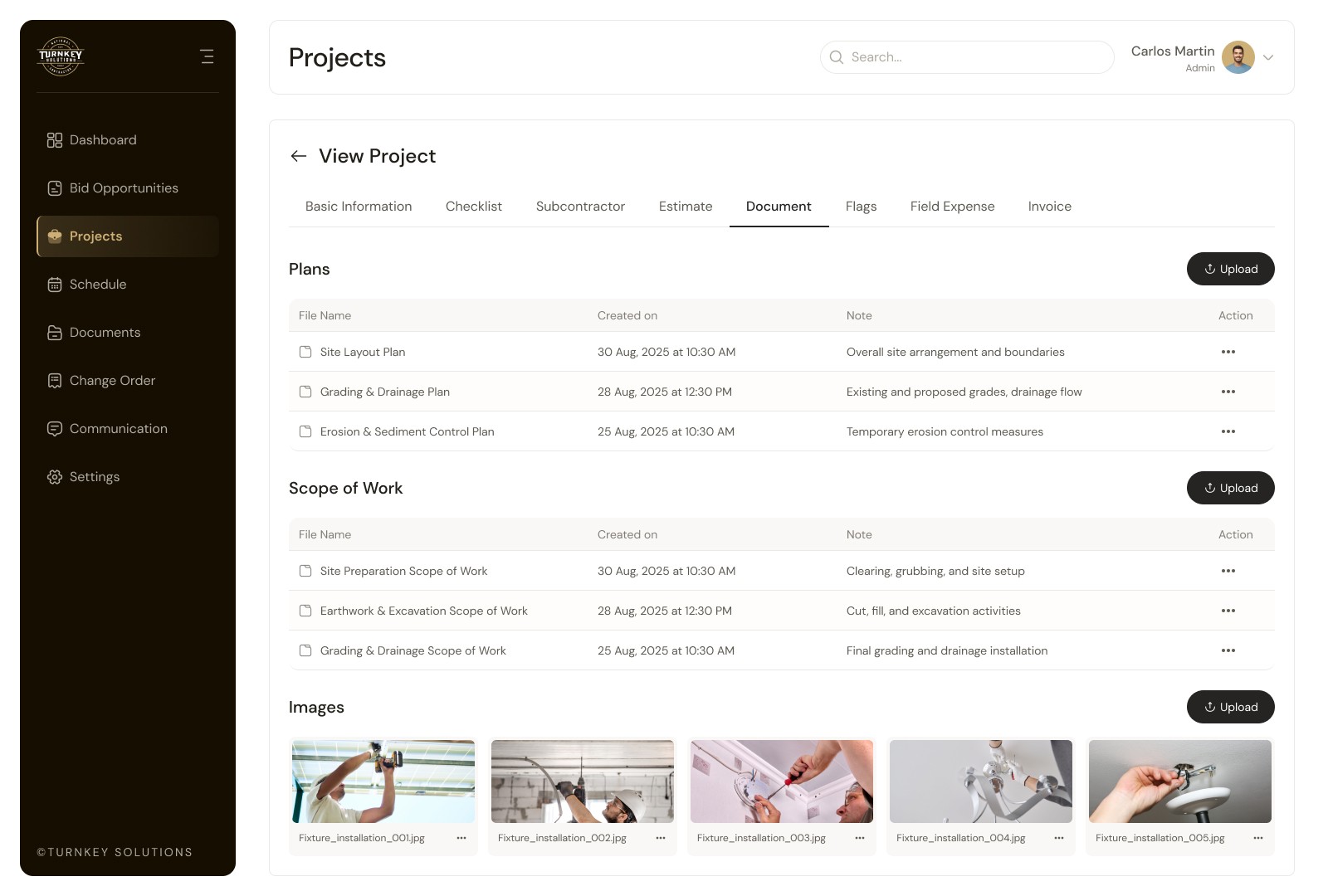
Document & Plan Management

What we heard

Field crews sometimes build from outdated drawings.

Insight

Only the latest approved revision should reach the field by default.

Design response

Revision control, an "approved-only" field view, and acknowledged revision notices.
Change Order & Budget

What we heard

COs scattered across email; unclear which affect the client vs. internal budget.

Insight

Every CO must trace to a contract/budget and separate internal from client-facing.

Design response

Linked COs with original-vs-revised budgets and a multi-level approval flow.

Field Operations & App

What we heard

Field updates are stuck on paper and calls; sites often have weak signal.

Insight

The field app must be glanceable, work offline, and sync both ways.

Design response

Mobile dashboard with offline caching, task-tagged photos, and light/dark for outdoor use.

Communication & Alerts

What we heard

Approvals and updates get buried in fragmented email threads.

Insight

Notifications need context and priority — and the ability to act in place.

Design response

A rules engine, priority color-coding (Info/Action/Urgent), and approve/reject from the alert.

Permissions & Access

What we heard

Subs and clients need access — but never to internal financials or records.

Insight

Role and project-level access is foundational, not a late add-on.

Design response

Role framework, project-scoped access, restricted external portals, and full audit trails.

Design System

Tokens & components

One consistent system shared across the desktop dashboards and the field app — color tokens, a type scale, spacing/radius, and the foundational components that build every screen.

Colors

Primary

CDAF76

Pearl

F1F0ED

Asphalt Black

150E01

Black Pepper

5E5A52

Carbon Fiber

262626

Japanese Black

252422

Asphalt Black

150E01

Components

Add New

Add New

Add New

Add New

Add New

Add New

Add New

Add New

Add New

Add New

Add New

Add New

Input

Password

Password

Password

Password

Password

Password

Status pills

In Progress

New

Submitted

Awarded

Lost

Filter

Filters

Filter

Filter

Filter

Switch

On

On

On

On

Off

Off

Off

Off

Typography

DM SANS

Heading Style

40 px

50

Medium

Heading H1

24 px

34

Medium

Heading H3

20 px

30

Medium

Heading H4

18 px

28

Medium

Heading H5

16 px

26

Medium

Heading H6

Paragraph

20 px

30

Medium

Paragraph - p1

18 px

28

Medium

Paragraph - p2

16 px

26

Medium

Paragraph - p3

14 px

22

Medium

Paragraph - p4

12 px

20

Medium

Paragraph - p5

Outcomes

What the design delivers

Designed as confirmed, dev-ready modules on a four-phase milestone plan — giving the client control over scope and cost while building toward one connected system.

A single source of truth

One continuous record from bid to closeout — status, budget, documents and compliance in one place.

Automated data flow

Awarded bids generate projects, schedules and budgets automatically — eliminating re-entry between phases.

Role-based portals

Tailored, secure views for office, field, subcontractors and clients — everyone sees only what they should.

Dev-ready modules

Each module confirmed with BA and client before handover, reducing rework and accelerating engineering.

Create a free website with Framer, the website builder loved by startups, designers and agencies.